
photography digital information

50% 0ff any SmugMug account!...

If you are looking for an online source for online image storage, to share your images with your family, or you are a professional photographer looking for an online store, SmugMug is a great choice.

There are three account options, Standard ($39.95), Power ($59.95), and Pro accounts ($149.95).

Every one of these options comes with Unlimited storage, Unlimited traffic, Customizable themes, Password protected galleries, and so much more.

Still need convincing? How about getting any of these accounts for half price?

Enter the code "Flickr" at checkout and you will get your Standard, Power, or Pro accounts for half off!

Stop by SmugMug, take a look around and if your still not quite sure, take it for a free 14 day test drive before you commit.

But I promise you, once you try it, commit you will.

del Sol Photography Best of 2008 Slideshow...

Flash Flavor is one of my favorite places to go for inspiration.

As if visiting their website wasn't enough to get your creative juices flowing, they have come out with their "Best of 2008" slideshow that is a must see.

Enjoy!


Lightroom 2 training DVD with Kevin Kubota...

Just about this time last year I wrote a review of the Kubota Lightroom 1 DVD, at the time I called it “the best Lightroom training DVD I have ever seen”.

Well, Adobe has upgraded Lightroom to V2 and Kevin Kubota has followed with "RAW Workflow for Lightroom V2".

Kevin has built upon the excellence of his first DVD, effectively raising the bar on what folks should expect from a training DVD. Not just his, but anybodies.

The very first thing I noticed about this DVD is that the interface has been streamlined and is easier to use, much more intuitive.

The second thing I noticed was that Kevin is better too, he seems smoother and more confident in his presentation style, having grown more comfortable in his role as a teacher.

The DVD begins with an overview of what's new and different in Lightroom 2 (like two monitor support, post crop vignette, the adjustment brush, etc.).

If you shoot often and/or much, one of the (many) things you will learn from Kevin is the best method for labeling and sorting your images, because it is soooo much more than deciding "good" or "bad" and what is shared on this topic alone is almost worth the price of admission. Kevin will take you to the next level and expand this beyond Lightroom, demonstrating how he organizes his image files and folders on his computer hard drive.

He shares a bunch of information with you before he ever gets into image editing, like what your Lightroom preferences should be and why, and how to synchronize images shot with different cameras that do not have their clocks synchronized.

Kevin's goal is to make you a Lightroom power user, so you can provide your client with the best possible image in the least amount of time.

Because really, is your goal to sit in front of your computer editing images, or to be behind your camera taking them?

It's only after squeezing out every bit of information on Lightroom efficiencies that Kevin then moves into the image editing workflow.

Most of you have heard the expression, "you don't know what you don't know", but when you finish this DVD you will know just how much you did not know before. Kevin walks you through the entire image editing workflow process from A to Z, sharing with you all the possibilities along the way.

If knowledge is power, this DVD that runs for almost 3 1/2 hours, will make you feel like a king.

Finally there are two other significant upgrades that come with this DVD:

1. The client database that was available to folks who bought version 1 (yes, the same client database Kevin uses for his own photography business) is new and improved, and is an outstanding tool for any studio. You will be given the link to download this free of charge.

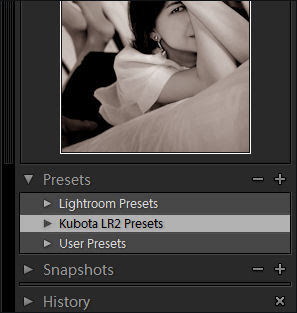
2. Kubota Lightroom Presets V2 (sold separately for $49) also are included with this DVD at no additional charge. I know I've said this before but it's worth repeating, these are the only presets I use. Why? Because these are the best presets I have used. I have wasted more money purchasing presets and have been given a bunch as well but every one of them have been removed.
This DVD is $99 and to me (and many of you) $99 is not a small sum of money, but purchasing this DVD is not spending money, it's making an investment. An investment that ensures you will get the most out of Lightroom and it ensures your clients will get the best possible images out of you.

If you are one of the many folks who purchased Kubota Workflow for Lightroom 1 DVD, you can upgrade for just $39.

"RAW Workflow for Lightroom V2" will give you back a precious commodity, time. How often have you said, "if I only had a little more time"? Well, here's your chance.

I can say without hesitation or reservation that if you could buy just one thing to improve your photography this year, this DVD should be it.
Why you should use Canvas on Demand...

First, let me apologize for my absence, but there has been a bug running through my house (literally) that has stayed too long occupied too many resources.

Now on to the subject at hand.

I have been looking for a vendor for printing canvases and thought I would have an image done by each of the major canvas companies, then pick what I thought to be the best one.

The first image went out to Canvas on Demand and it turned out to be one of the best experiences I have had with any vendor in quite some time. Nothing could have been handled better, the product quality, customer service, and communications were outstanding.

1. I placed my order on Saturday.

2. I received an email the following Monday informing me that because of the way the imaged was cropped it would not fit properly on the 16x20 canvas that I ordered and instead it would be printed on a 16 x 24 canvas, an upgrade at no charge.

3. The following day (Tuesday) another email arrived telling me the canvas had shipped.

4. That Thursday morning the canvas arrived at my door.

5. Thursday afternoon yet another email arrived asking me if I was pleased with my order.

You can't beat that kind of service, not even with a stick. To me good customer service will trump a bad product everytime, but a good product will never overcome bad customer service.

With Canvas on Demand both were outstanding. I could not be happier with my canvas.

They also offer a Pro Account and one of the services included is called a "Canvasizer" (see below), where you upload a web quality image and within 24 hours Canvas on Demand will email the image to you as a "simulated canvas" so that you (or your client) can visualize what the canvas will look like.

Please keep in mind that the "Canvasizer" image is a simulation and will not match the quality of the end product.

I never did send an image to a second company and have no intension of doing so, Canvas on Demand is my canvas company and if you give them a try, they will be yours as well.

Review of the PRESSlite VerteX...

When I saw the PRESSlite VerteX the first thing that flashed through my mind was "think of the possibilities!"

Now had I seen the VerteX on the first day I picked up a camera, I don't think I would have "gotten it", the potential of this tool would have been lost to me. But now that I understand how light moves (or flows) and what we as photographers can do to change and control that movement (that flow), I grasp the power and potential the VerteX has.

It's the only light modifier I know of that lets you to achieve multiple lighting effects simultaneously from one tool and a single strobe. In a matter of seconds, with just two fingers you can twist, pull, or rotate the panels to completely change your lighting configuration.

This will likely be the shortest review I ever do, as I can ramble on about how great the PRESSlite VerteX is and all of the different ways it could be used, but nothing I say will be nearly as impressive as seeing it in action. So here are the resources you need to check out:

This is a 3D demo that allows you to select different configurations and see their impact on the movement of light.

You can also take a look at the user guide that nicely demonstrates (visually) the different configuration possibilities.

Camera Dojo recently did a review of the VerteX Light modifier that you will want to read as well.

Lastly, Kerry Garrison was kind enough to let me use his video showing off the VerteX, thanks Kerry.

Final thoughts - two thumbs waaaay up!


The new Canon 5D Mark II...

Here is a video that demonstrates beautifully the abilities of the new Canon 5D Mark II.

All of the footage and stills were shot with the Canon 5D Mark II.

As you watch your thoughts move back and forth between the images and what a wonderful family.

Thanks to Sarah Quiara for producing and sharing this great video.

Hang your images in a museum...

This is a way cool and fun toy.

Ever fantasize about having your images hang in The Museum of Modern Art or the Kunstmuseum Stuttgart Art Museum?

I know, I know, kinda lame as fantasies go, but as you get older priorities change.

;)

Stop by Museumr, upload your image and you're done.

You can also turn your images into a jigsaw puzzle, a pencil sketch, or pick from a half dozen other image transformation tools.

Enjoy!