photography digital information

And these baby images...

Are from my last newborn session.

Click on any of them to view larger.


Sunday evening engagement session…

This weekend the weather in Maine has been horrid - large amounts of thunder, lighting, wind, and rain. Trees have come down, rivers have flooded, and people have been running through the streets arms flailing and screaming “the end is coming, THE END IS COMING!”

;)

And I had to shoot an engagement session with this weekend for a wonderful couple Jen & Joe. If it didn’t happen tonight, it wasn’t ever going to happen because there was no place in the schedule to fit them in before we shoot their wedding in two weeks.

Well, we sat in our cars at the beach hoping for a break in the weather, we waited, and waited – finally we got exactly 15 minutes to shoot before the skies opened back up. It was just enough time to get their session done.

Here are a few, click on any image to view it larger.


One more goody to close the week...

This one came from a reader Giles, who lives in London England.

He wrote to tell me about a free program with capabilities similar to those of Photoshop called GIMP.

This from the GIMP website: "GIMP is an acronym for GNU Image Manipulation Program. It is a freely distributed program for such tasks as photo retouching, image composition and image authoring." and is available in three flavors, Windows, MAC, and Linux.

You can learn more about GIMP and its features at this link.

Giles praised the capabilities of GIMP, but was also honest about what he considered its short comings: "Unfortunately it's not all good news for the Gimp. It's not as user friendly and intuitive as Photoshop, and does take some effort to learn how to use it properly. In fact, even though it can do many of the things that Photoshop can do, many Photoshop users get a bit annoyed with it as it isn't a direct clone and many features are in different places and under different menus".

Regarding his last comment, there is another project out to address that very issue, GIMPshop, "GIMPshop is a modification of GIMP, intended to replicate the feel of Adobe Photoshop. Its primary purpose is to make users of Photoshop feel comfortable using GIMP".

Not everyone has (or wants to spend the) bazzillion dollars to buy Photoshop and GIMP certainly looks like a real and viable alternative.

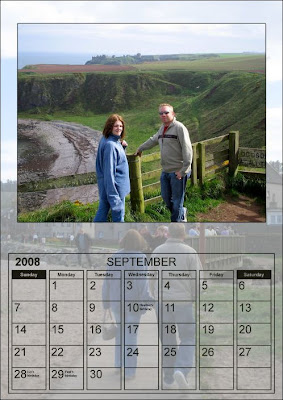
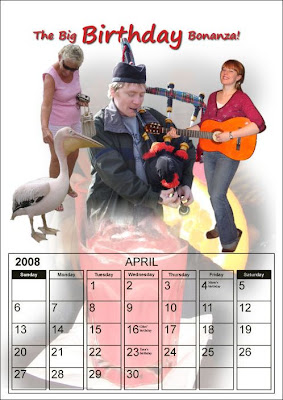
Here are a couple images that Giles was kind enough to share, he used GIMP to create a calendar for his family.

Thanks Giles.
(click on either image to view larger)
Check out this resource...

Ever start following links from site to site and end up on a cool website or blog, but if you had to explain exactly how you got there, you couldn't?

I came upon f/1.0 but couldn't tell you how I got there if you offered me a fistful of money.

Ed Zawadzki has a very nice blog, with a bunch of instructional and educational posts.

What first brought me there was a 4 part series he is doing called "The Nuts & Bolts of Off camera Flash", you will find part 1 here, and part 2 here.

After reading these (well written) posts I started snooping around his blog and found other good things, like:

Shoot Fireworks Like a Pro

The 15 Second DIY Adjustable Snoot

Quick & Dirty Seamless Backdrop For Small objects

So take some time and go visit Ed at f/1.0 and do some snooping of your own, you'll find some really good stuff.

The slideshow from our last wedding...

This is from the wedding of Margit & Eric that we shot on July 5th.

What a fun wedding, not only was it obvious that the bride and groom were deeply in love, but you got the real sense that the guests felt the same way about them.

Here's the link to the slideshow.

And your job (should you accept it) is to find the Mickey Mouse hidden in the image below.

(click on image to view larger)

I love photographing children…

My favorite shot in the panel is the first one on the left. Look at the smile on her face and the excitement in her eyes as she watches her dad drink from the fountain.

(click to view larger)

Get your free Lightroom presets here!...

Earlier this week we showed you where to get free Photoshop actions, today we'll show you where to find free Lightroom presets:

1. Here you will find 85 presets from Jack Davis
2. Inside Lightroom has (roughly) 75 presets from various developers
3. Lightroom Presets has another 25 here
4. Kelsey Smith has 50 presets here, and 10 B&W presets here
5. Steller Times has 3 here
6. 640 Pixels is giving away 15
7. That 70's set is free from Kim Long
8. Get The Daido Moriyama Kit by ReallyJapan
9. These are from Heather Green Photography
10. Here are three from Snowdon Photography
11. 9 Fill Flash Fixer presets from Jon Tehero
12. No list would be complete without Matt Kloskowski's presets

The following presets are camera or lens specific:

13. Nikon D300
14. Nikon 18-200 VR Lens
15. Leica M8
16. Canon 40D

Have a great weekend!